
SMTP Manager — Authentifizierte E-Mail & Protokoll
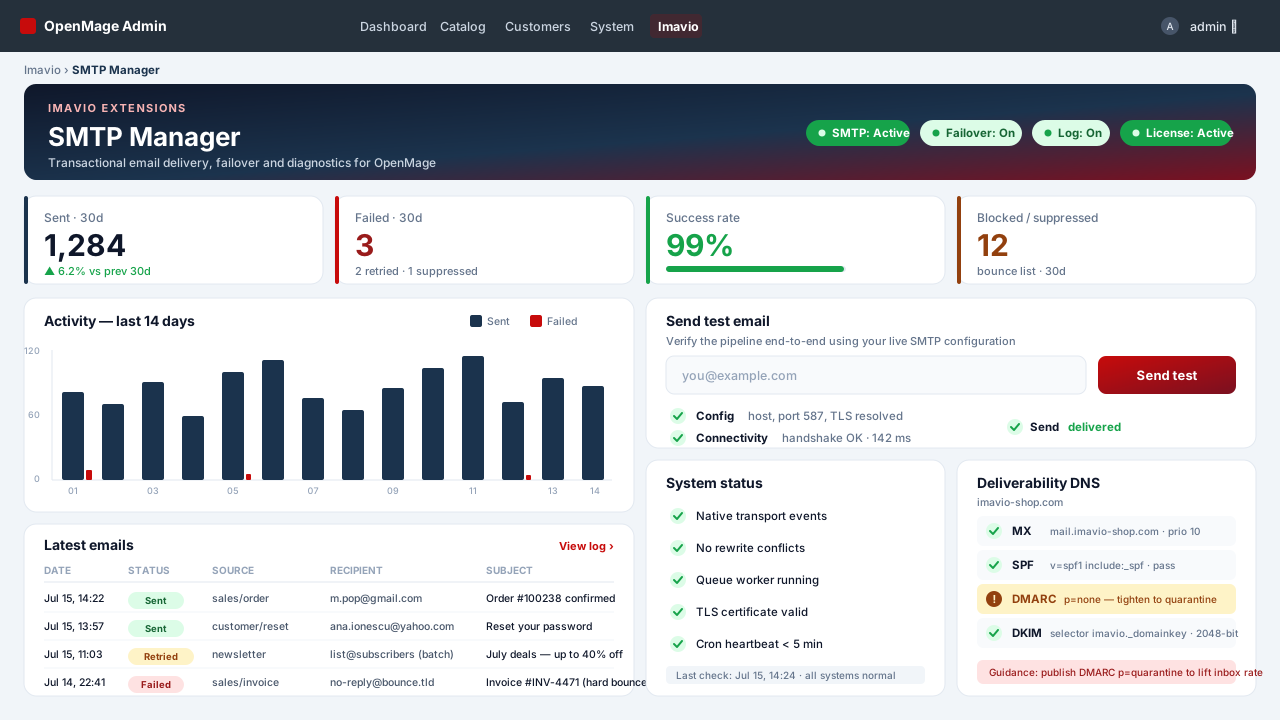
Authentifiziertes SMTP für OpenMage — endlich, und richtig gemacht
Der OpenMage-Core liefert überhaupt keine funktionierende SMTP-Authentifizierung: Die Auth-Felder in der Core-Konfiguration sind buchstäblich auskommentiert, und Host/Port wirken sich nur auf PHP mail() unter Windows aus. Die eine kostenlose Extension, zu der alle greifen — Aschroder SMTP Pro —, wird seit 2015 nicht mehr gepflegt, überschreibt Core-Klassen und hat Newsletter nie abgedeckt. Imavio SMTP Manager ist die moderne, gepflegte, rewrite-freie PHP-8-Antwort — Sie besitzen ihn pro Domain, und er funktioniert einfach.
Jede E-Mail verlässt Ihren Shop über Ihren SMTP-Server
Transaktions-E-Mails, die core_email_queue (Neubestellungs-E-Mails, die per Cron versendet werden), der klassische Checkout-Pfad und Newsletter laufen allesamt über authentifiziertes SMTP mit TLS/SSL. Allein die Newsletter-Abdeckung ist etwas, das die alte kostenlose Extension nie bot.
Kollidiert mit nichts
Keinerlei Überschreiben von Core-Klassen. Der SMTP Manager hängt sich in die nativen Transport-Injection-Events von OpenMage ein (verfügbar seit OpenMage 19.5.0 / 20.1.0), mit einem dokumentierten Fallback für ältere Cores. Nichts wird überschrieben, sodass er sauber mit Ihren übrigen Modulen koexistiert.
Jeden Versand sehen — und wiederherstellen
- Vollständiges E-Mail-Log, einschließlich Fehlschlägen mit der rohen Antwort des SMTP-Servers. Der Core schluckt Versandfehler stillschweigend; hier werden sie als Einziges sichtbar.
- Filterbares Log-Grid, Detailansicht mit dem Inhalt in einem sandboxed iframe als Vorschau, erneutes Senden per Klick, CSV-Export und Massenlöschung.
- Automatisches Failover auf einen zweiten SMTP-Server, wenn der primäre ausfällt — beide Versuche werden protokolliert.
- DSGVO-freundlicher Aufbewahrungs-Cron (standardmäßig 30 Tage, Inhalt auf 256 KB begrenzt).
Zustellbarkeit, die den Relays von 2026 standhält
- 15 Provider-Presets mit aktuellen Empfehlungen für 2026: Gmail/Workspace & Google Relay (App-Passwörter; Basic Auth seit 2025 tot), Microsoft 365 & Outlook (Warnung, dass SMTP AUTH ab Ende Dezember 2026 standardmäßig deaktiviert ist), Amazon SES (Region + Sandbox), SendGrid (Benutzername wörtlich
apikey), Mailgun US/EU, Brevo (SMTP-Schlüssel, nicht API-Schlüssel), Postmark, Mailjet, SMTP2GO, Zoho, Mailtrap und generisches cPanel. - Deliverability-Doctor: MX-/SPF-/DMARC-DNS-Prüfungen für Ihre Absenderdomain mit konkreten Korrekturen, dazu DKIM-Empfehlungen.
- Test-E-Mail mit schrittweiser Diagnose — Konfigurationsvalidierung (einschließlich der klassischen 465+STARTTLS-Diskrepanz), Socket-Konnektivität und ein echter Versand, jeweils mit hilfreichen Hinweisen.
- HELO/EHLO-Name und Envelope-From (Return-Path) — Einstellungen, auf die moderne Relays achten.
Für den realen Betrieb gebaut
- Entwickler-/Sandbox-Modus: alle Mails an eine einzige Testadresse umleiten (die ursprünglichen Empfänger bleiben in einem Header erhalten) oder mit Log-only unterdrücken — sicheres Staging ohne Mailcatcher.
- Empfänger-Blacklist: exakte Adresse,
@domain-Suffix oder Wildcard-Muster; Treffer werden unterdrückt und protokolliert. - Queue-Hygiene: eine konfigurierbare Pause zwischen Queue-Versendungen (Rate Limiting) und ein Dead-Letter-Limit, das den endlosen minütlichen Wiederholungsversuch einer fehlschlagenden Nachricht durch OpenMage stoppt — und so Ihre Absenderreputation schützt.
- Konflikt-Detektor kennzeichnet andere Module, die die E-Mail-Klassen überschreiben, dazu ein Ein-Klick-Importer für Ihre bestehenden Aschroder-SMTP-Pro-Einstellungen.
- Konfiguration pro Store-View — ein eigenes SMTP-Konto je Store.
Ihr E-Mail-Versand hängt nie von Ihrer Lizenz ab
Der E-Mail-Versand wird niemals durch den Lizenzstatus eingeschränkt. Eine abgelaufene Lizenz zeigt lediglich Admin-Hinweise an und stoppt Updates — sie wird die E-Mails Ihres Shops nie stoppen. Die Lizenz schaltet Updates und Support frei, mehr nicht.
Technische Voraussetzungen
OpenMage LTS 19.x/20.x (am besten ab >= 19.5 / 20.1; ältere Cores nutzen den dokumentierten Fallback) oder Magento CE 1.9.x · PHP 7.2–8.3 · ionCube Loader (kostenlos) auf dem Server.
Plattform
OpenMage
Neueste Version
1.1.3
PHP
7.2+
Aktualisiert
2026-07-17
1. Requirements
- OpenMage LTS 19.x/20.x (best on >= 19.5 / 20.1) or Magento CE 1.9.x
- PHP 7.2–8.3 with the ionCube Loader enabled (most hosts have it; check with a
phpinfo()page or ask your host) - SMTP credentials from your provider (host, port, username, password or API key)
2. Install the files
- Download the package from your Imavio account (Downloads) after purchase.
- Unzip it and upload the contents over your Magento root — it merges into
app/code/local/Imavio/Smtp,app/etc/modules/Imavio_Smtp.xmland the admin layout. No core files are overwritten. - Flush the cache: System → Cache Management → Flush Magento Cache. The setup script creates the
imavio_smtp_logtable automatically. - The extension ships disabled by default — installing it changes nothing about how your store sends mail until you turn it on in step 4.
3. Activate your license
- Go to System → Configuration → Imavio Extensions → SMTP Manager → License.
- Paste the license key from your Imavio account and save.
- Sending never depends on license state — the license only unlocks updates and support (validated in the background).
4. Configure & test — before you enable
- Choose the sending channel. SMTP is the classic connection on ports 587/465/2525. HTTP API sends through your provider's API over HTTPS (port 443) and needs only an API key — pick it if your host blocks the SMTP ports (see step 6). Supported API providers: Brevo, SendGrid, Mailgun, Postmark, Mailjet, Resend.
- On the SMTP channel, pick your provider from the presets to autofill host, port and encryption, then enter your credentials. Set HELO/EHLO name and Envelope-From if your relay needs them. On the API channel, pick the provider and paste the key — the form shows exactly which key each provider wants and its usual pitfalls.
- Configure a failover route. The most robust pairing is an external provider as the primary route and your server's own mail server as the backup (host
localhost, port 25, no encryption, no authentication) — the local server keeps working even when outbound SMTP is blocked. - Open the dashboard at Imavio → SMTP Manager and send a test email. The step-by-step diagnostics validate the config (including the 465+STARTTLS mismatch), check connectivity and perform a real send, with friendly hints on any failure.
- Only once the test succeeds, flip the Enabled switch to route your store's mail through SMTP Manager.
5. Verify
- Place a test order and trigger a newsletter — confirm both arrive from your sending account.
- Open Imavio → SMTP Manager and review the log grid: successful sends and any failures appear with the raw server reply. Use resend, CSV export or the detail view (body shown in a sandboxed iframe) as needed.
- Run the deliverability doctor on the dashboard to check MX / SPF / DMARC for your sender domain and apply the suggested DNS fixes.
6. Emails stopped arriving — what to check
SMTP Manager warns you before your customers do: when several sending attempts fail in a row, every admin page shows a warning with the last error, and the log records the exact server reply. The warning clears itself on the first successful send.
The classic case: sending worked for weeks, then stopped overnight. On cPanel hosting this is almost always the SMTP Restrictions feature, which blocks outbound connections from user accounts to ports 25, 465 and 587 and forces all mail through the server's own mail system. Because cPanel updates itself nightly, a restriction that was not being enforced can start being enforced from one day to the next — your settings never changed, but the port is now closed. The log shows Connection timed out or Could not open socket.
Three fixes, best first:
- Switch the channel to HTTP API. Sending then goes over HTTPS on port 443, which no SMTP restriction can touch. This is the permanent fix and needs nothing from your host.
- Ask your host for an exception for your provider's server. It works, but the exception may not survive a panel update or a server migration.
- Add the local mail server as failover (host
localhost, port 25, no encryption, no authentication). Deliverability is lower than a dedicated provider, but emails keep going out instead of stopping completely.
Other frequent causes: an expired or revoked API key (log shows HTTP 401), a sender address that is no longer verified at the provider (HTTP 403 or 422), or a daily sending quota reached (HTTP 429 — set a pause between queued emails in the sending rules).
7. Updates & support
New versions appear under Downloads in your account while your update window is active. An expired license never stops your emails — it only shows admin notices and pauses updates. Need help? Open a ticket from your Imavio account — support is included with your license.
Changelog
Security hardening: the email-log CSV export now neutralizes spreadsheet formula injection (recipient/subject values).
Häufig gestellte Fragen
Funktioniert SMTP Manager mit Magento 1.9 oder nur mit OpenMage?
Mit beiden. Die Erweiterung wird auf OpenMage 19.x–20.x entwickelt und getestet — vollständig kompatibel mit Magento 1.9.x, derselbe von der Community gepflegte Code.
Kann sie das alte Aschroder SMTP Pro ersetzen?
Ja. SMTP Manager ist eine gepflegte Alternative für modernes PHP (7.4–8.3). SMTP Pro deaktivieren, SMTP Manager installieren, Zugangsdaten eintragen — der Wechsel dauert in der Regel wenige Minuten.
Welche SMTP-Anbieter werden unterstützt?
Jeder Anbieter mit authentifiziertem SMTP (TLS/SSL). 15 Presets sind enthalten — Gmail / Google Workspace, Microsoft 365, Brevo, Mailgun, SendGrid, Amazon SES und mehr — plus vollständig manuelle Konfiguration.
Überschreibt sie Magento-Core-Klassen?
Nein. SMTP Manager nutzt nur Events und Konfiguration — keine Core-Rewrites, keine Code-Pool-Overrides, also keine Konflikte mit anderen Erweiterungen.
Was passiert nach Ablauf des Update-Zeitraums?
Die Erweiterung funktioniert weiter — die Lizenz gilt unbefristet pro Domain. Eine Verlängerung öffnet nur den Zugang zu neuen Versionen und Support.
Kundenbewertungen
Noch keine Bewertungen — teilen Sie als Erster Ihre Erfahrung.
Anmelden um eine Bewertung zu schreiben.
Das könnte Ihnen auch gefallen
 OpenMage
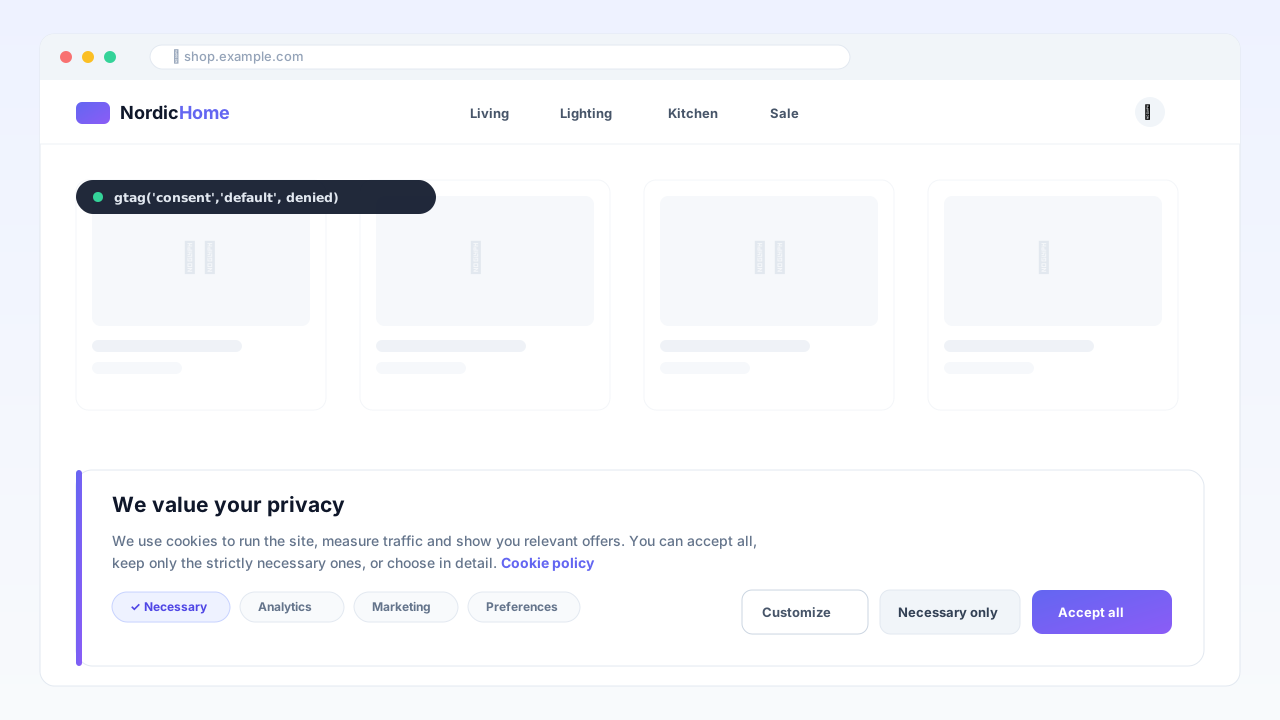
Consent Manager — Google Consent Mode v2
DSGVO-Cookie-Banner mit nativem Google Consent Mode v2, AMP-Unterstützung und Einwilligungsregister — cache-sicher, ohne externe CMP-Gebühren.
 OpenMage
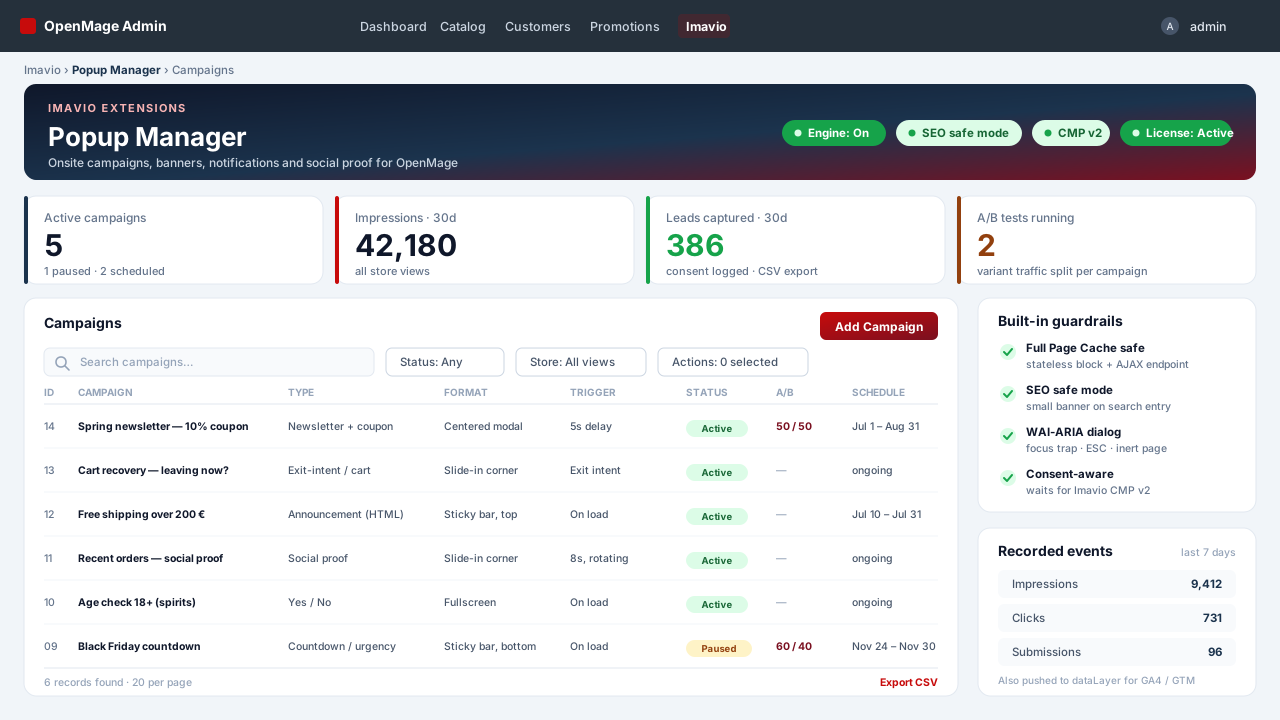
Popup Manager — Onsite-Kampagnen & Social Proof
Popups, Sticky-Bars, Slide-ins und Social-Proof-Benachrichtigungen für OpenMage — cache-sicher durch Konstruktion, barrierefrei ab Werk, einwilligungsbewusst, mit Bedingungsbaum-Targeting und A/B-Tests.
 OpenMage
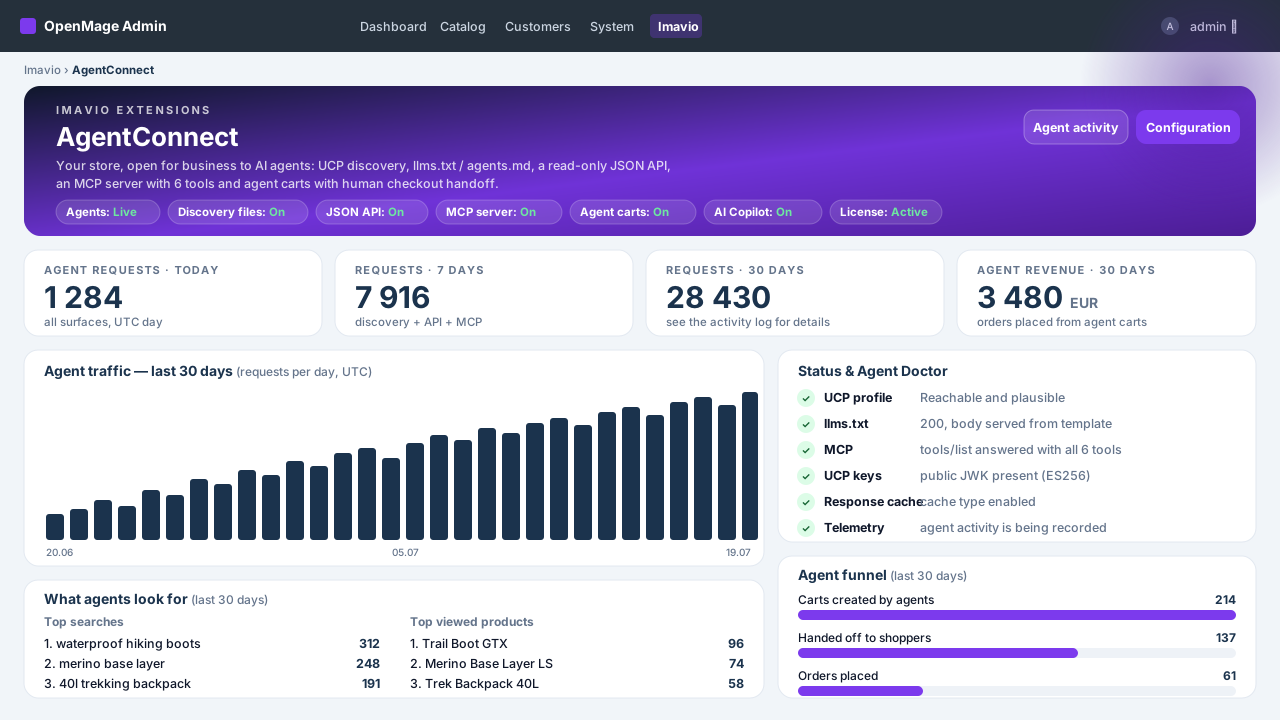
AgentConnect — KI-Agenten & Agentic Commerce
Machen Sie Ihren OpenMage-Shop für KI-Agenten auffindbar und einkaufbar — UCP-Discovery, llms.txt, saubere Read-only-JSON-API, MCP-Server für Claude und ChatGPT, Agenten-Warenkörbe mit menschlichem Checkout und vollständige Umsatz-Attribution — plus ein KI-Copilot im Admin mit Ihrem eigenen Schlüssel.