
AgentConnect — KI-Agenten & Agentic Commerce
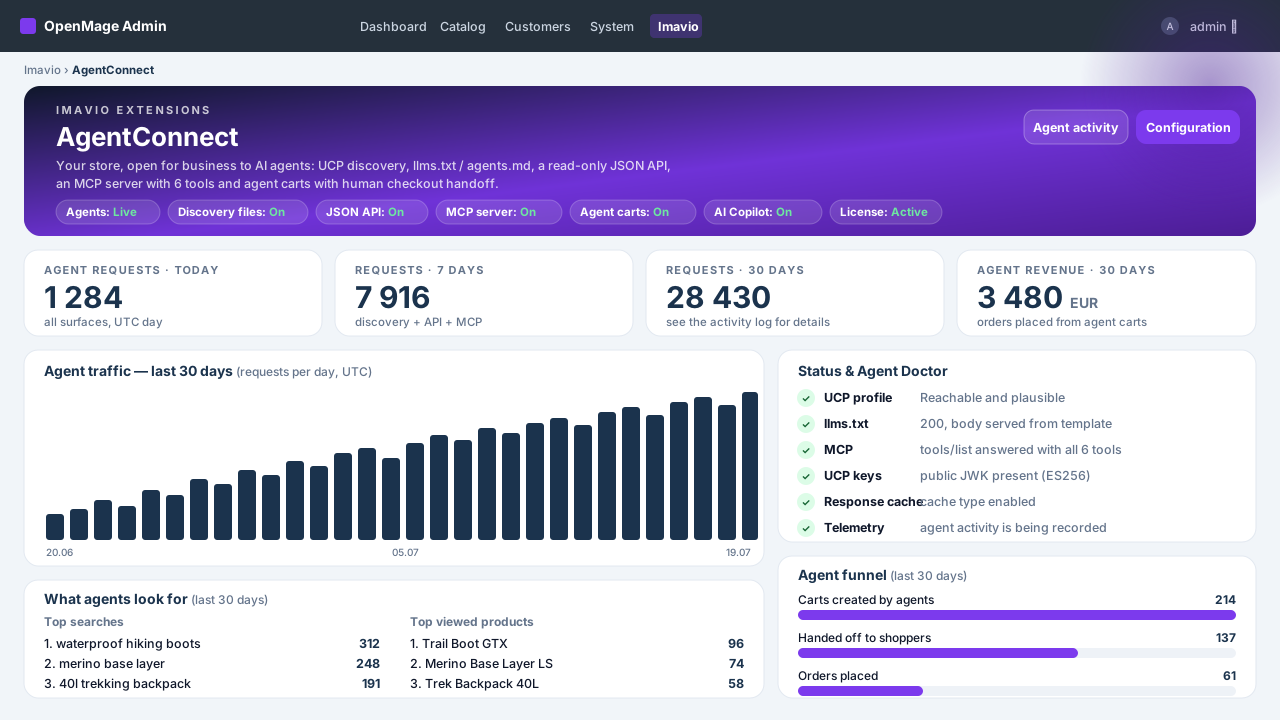
Ihr OpenMage-Shop, offen für KI-Agenten
Das Einkaufen wandert ins Chatfenster: Nutzer fragen ChatGPT, Claude oder Perplexity, was sie kaufen sollen — und der Agent empfiehlt Produkte, die er tatsächlich lesen kann. Imavio AgentConnect ist die erste Agentic-Commerce-Suite für OpenMage / Magento 1: Sie macht Ihren Katalog für KI-Agenten auffindbar, lesbar und einkaufbar, während jede Zahlung in Ihrem normalen Checkout bleibt — unter menschlicher Kontrolle.
Das Problem: KI-Assistenten werden die neue Eingangstür — und Magento-1-Shops sind unsichtbar
Agenten durchforsten keine JavaScript-Storefronts; sie suchen maschinenlesbare Oberflächen: Discovery-Dateien, strukturierte APIs, Agenten-Protokolle. Ein Standard-OpenMage-Shop bietet nichts davon — also empfiehlt der Agent den, der es bietet. AgentConnect gibt Ihrem Shop die komplette agentische Oberfläche an einem Nachmittag — ohne SaaS-Zwischenhändler, ohne Gebühren pro Anfrage.
Discovery: gefunden werden, bevor gewählt wird
- llms.txt und agents.md an der Shop-Root — die Shop-Beschreibung, die KI-Crawler tatsächlich lesen.
- UCP-Profil unter
/.well-known/ucp, das die Fähigkeiten und Endpunkte Ihres Shops ankündigt. - Ein fertiger robots.txt-Baustein im Admin — einmal einfügen und agentische Crawler sind zugelassen. AgentConnect ändert Ihre robots.txt niemals eigenmächtig.
- Alles wird aus Ihrem echten Katalog generiert und ist im Admin editierbar.
Ein echter MCP-Server — verbinden Sie Claude und ChatGPT mit Ihrem Shop
AgentConnect liefert einen Model-Context-Protocol-Endpunkt mit sechs fokussierten Tools: search_catalog (Freitextsuche mit Filtern und Cursor-Paging), lookup_catalog (bis zu 50 SKUs in einem Aufruf), get_product (vollständige Details samt Varianten), dazu create_cart, update_cart und get_cart — die Warenkorb-Tools liefern den menschlichen Checkout-Link. Als Custom Connector in claude.ai oder ChatGPT (Developer Mode) eingebunden, kann der Assistent Ihren Shop im laufenden Gespräch durchstöbern.
Eine saubere JSON-API — read-only by design
Produkte, Kategorien und Suche als aufgeräumtes JSON: Preise, Lagerstatus, Bilder, URLs. Keine Sessions, keine personenbezogenen Daten, kein Schreibzugriff — exakt die Teilmenge, die ein Agent braucht, und nicht mehr.
Agenten-Warenkörbe mit menschlichem Checkout — der Händler behält die Kontrolle
Ein Agent kann einen Warenkorb vorbereiten, aber niemals bezahlen. Jeder Agenten-Warenkorb endet in einer continue_url, die einen Menschen mit vorbefülltem Warenkorb in Ihren regulären Checkout führt. Zahlarten, Betrugsprüfungen und das letzte Wort bleiben bei Ihnen.
Umsatz-Attribution — wissen, was die KI für Sie verkauft
Jeder Agentenbesuch, API-Aufruf, jede MCP-Sitzung und Warenkorb-Übergabe wird protokolliert. Bestellungen aus Agenten-Warenkörben tragen ein agentic-Badge im Bestell-Grid, und das Telemetrie-Dashboard zeigt Agenten-Traffic, meistgefragte Produkte und attribuierten Umsatz.
Ein KI-Copilot im Admin — Ihr Schlüssel, Ihr Modell
Optional und völlig getrennt von den agentischen Oberflächen: Hinterlegen Sie Ihren eigenen Anthropic- oder OpenAI-Schlüssel und erhalten Sie ein Content Studio für Produktbeschreibungen, Ein-Klick-Übersetzungen, einen llms.txt-Texter und verständliche Insights zu Ihrer Agenten-Telemetrie. Sie zahlen Ihren Anbieter direkt, zum Selbstkostenpreis.
Sicherheit & Performance ab 1.0
- Rate Limiting auf jedem agentischen Endpunkt.
- Read-only-Katalog: keine Kundendaten, keine Admin-Oberfläche, keine SSRF-Vektoren — der Copilot spricht nur mit dem von Ihnen konfigurierten Anbieter.
- Response-Caching hält den Agenten-Traffic von Ihrer Datenbank fern.
So funktioniert es
- Erweiterung installieren und Lizenz aktivieren.
- Discovery einschalten — llms.txt, agents.md und das UCP-Profil gehen live.
- Claude oder ChatGPT mit dem MCP-Endpunkt verbinden und dem Gespräch zusehen.
- Warenkörbe, Bestellungen und Umsatz im Telemetrie-Dashboard verfolgen.
Auf Vertrauen gebaut
Die Lizenz sperrt die agentischen Oberflächen niemals — abgelaufen heißt Admin-Hinweise und pausierte Updates, nie eine geschlossene Tür für Agenten. Keine Core-Klassen-Rewrites. Und die agentische Seite kostet Sie null LLM-Tokens: Agenten bringen ihr eigenes Modell mit; Ihr Server liefert nur Daten.
Technische Voraussetzungen
OpenMage LTS 19.x/20.x oder Magento CE 1.9.x · PHP 7.4–8.3 · ionCube Loader (kostenlos) auf dem Server. Copilot (optional): eigener Anthropic- oder OpenAI-API-Schlüssel.
Plattform
OpenMage
Neueste Version
1.1.0
PHP
7.2+
Aktualisiert
2026-07-28
1. Requirements & concepts
- OpenMage LTS 19.x/20.x or Magento CE 1.9.x · PHP 7.4–8.3 with the ionCube Loader enabled · HTTPS on your storefront (required by claude.ai / ChatGPT connectors).
- Concepts: the discovery surfaces (llms.txt, agents.md, the UCP profile at
/.well-known/ucp) tell agents what your store is; the JSON read API and the MCP server let them browse it; agent carts let them prepare a purchase that a human finishes in your normal checkout; the optional AI Copilot helps you write content in the admin. - The agentic side needs no LLM key and costs no tokens — agents bring their own model. Only the optional Copilot uses your Anthropic/OpenAI key.
2. Installation
- Download the package from your Imavio account (Downloads) after purchase.
- Unzip it and upload the contents over your Magento root — it merges into
app/code/local/Imavio/AgentConnectandapp/etc/modules/Imavio_AgentConnect.xml. No core files are overwritten. - Flush the cache: System → Cache Management → Flush Magento Cache. Setup scripts create the telemetry tables automatically.
- The extension ships disabled by default — nothing is exposed until you enable it.
3. License activation
- Go to System → Configuration → Imavio Extensions → AgentConnect → License.
- Paste the license key from your Imavio account and save — activation is instant.
- The agentic surfaces are never gated by license state: an expired license only shows admin notices and pauses updates.
4. Quick start — enable discovery
- In System → Configuration → Imavio Extensions → AgentConnect, set Enabled to Yes and turn on Discovery.
- Open
https://your-store.example/llms.txtin a browser — you should see the generated store description. Same for/agents.mdand/.well-known/ucp. - Review the generated texts in the admin and adjust tone, highlights and policies — this is what agents will quote about you. (The Copilot's llms.txt copywriter can draft them for you.)
5. The JSON read API
Once enabled, the store answers read-only JSON on the agent endpoints. Search example:
curl -s "https://your-store.example/agent/products.json?q=backpack"Responses include name, SKU, price with currency, stock state, image and product URL for each match. The category and product-detail endpoints are announced in the UCP profile (/.well-known/ucp), so agents find them without guessing. Everything is cached and rate-limited; there is no write access and no customer data.
6. Connecting Claude & ChatGPT (MCP)
Your MCP endpoint is https://your-store.example/agent/mcp (public HTTPS required).
- claude.ai: Settings → Connectors → Add custom connector, paste the MCP URL and save. In a new chat, enable the connector and ask: "What can you find in this store for under 50 EUR?"
- ChatGPT: enable developer mode in the settings, then add a connector with the same MCP URL.
The server exposes six tools — search_catalog, lookup_catalog, get_product, create_cart, update_cart and get_cart. The assistant picks the right ones on its own. Note that update_cart has replace semantics: the list you send becomes the cart. Category browsing lives in the JSON API (/agent/collections/{handle}/products.json), not in MCP.
7. Agent carts & human checkout
When an agent builds a cart, the reply always carries a continue_url. Opening it in a browser loads your regular checkout with the cart preloaded — the human reviews, chooses shipping and payment, and pays as usual. Agents can never trigger payment, place orders or touch customer accounts; agent carts expire like any other quote in your store.
8. Telemetry & revenue attribution
Open Imavio → AgentConnect in the admin:
- The dashboard shows agent traffic, MCP sessions, top requested products and attributed revenue.
- The activity grid lists every agentic request with source, endpoint and timing.
- Orders that started as agent carts wear an agentic badge in the order grid, so attribution survives into your normal reporting.
9. AI Copilot setup (BYO key)
- In the configuration, open the AI Copilot section, choose your provider (Anthropic or OpenAI), paste your own API key and pick a model.
- The Copilot unlocks the Content Studio on products (descriptions, feature bullets), one-click translations, the llms.txt copywriter and plain-language insights over your telemetry.
- Costs go directly to your provider at their rates. The key is used server-side only, exclusively against the provider you selected — the agentic surfaces never use it.
10. Security & rate limits
- All agentic endpoints are read-only and expose no customer data or PII.
- Per-IP rate limiting with sensible defaults; the thresholds are configurable if you want them stricter or looser.
- Responses are cached, keeping agent traffic away from your database and your shoppers' experience.
11. Agent-ready verification checklist
Run these from any machine, replacing your-store.example with your domain:
# 1. UCP profile — should return JSON with your store profile and endpoints
curl -s https://your-store.example/.well-known/ucp

# 2. llms.txt — should return the plain-text store description
curl -s https://your-store.example/llms.txt

# 3. JSON API — should return matching products as JSON
curl -s "https://your-store.example/agent/products.json?q=test"

# 4. MCP server — should list the six tools
curl -s -X POST https://your-store.example/agent/mcp \
  -H "Content-Type: application/json" \
  -d '{"jsonrpc":"2.0","id":1,"method":"tools/list"}'
If all four answer correctly, your store is agent-ready.
12. Troubleshooting
- 404 on /llms.txt or /.well-known/ucp — flush the configuration cache; if your web server blocks dotfiles or
.well-known, allow that path in the vhost. - HTTP 429 answers — the rate limiter at work; raise the limits in the configuration if legitimate agents hit them.
- claude.ai / ChatGPT cannot connect — the MCP endpoint must be public HTTPS with a valid certificate; test it with the tools/list curl above.
- Products missing from results — only enabled, visible, in-stock products are exposed; check status and visibility.
- Copilot errors — verify the API key, the selected model and your provider account's credit.
13. Updates
New versions appear under Downloads in your Imavio account while your update window is active, and the extension shows an update notice in the admin when one is available. An expired license never turns off the agentic surfaces — it only pauses updates and support. Need help? Open a ticket from your Imavio account — support is included with your license.
Changelog
AgentConnect 1.1.0 Suprafete noi pentru agenti AI - Feed de produse ACP (specificatia OpenAI product feed): JSONL sau CSV, generat nocturn pe disc si servit tokenizat la /agent/feed.jsonl(.gz). Include gtin validat strict, mpn, brand, condition, categorie, variante (group_id + variant_dict), date de vanzator si politici. - /llms-full.txt: instructiunile din llms.txt plus catalogul plat (nume, pret, URL per produs), plafonat din configurare. - Schema.org Product JSON-LD optional pe paginile de produs (OPRIT implicit — se activeaza doar daca tema sau alt modul SEO nu emite deja Product schema). Configurare noua - Grup "Product feed": format, gzip, program cron (validat la salvare), loturi, plafon de produse, token de acces, eligibilitate checkout, tari tinta. - Grup "Catalog attribute mapping": GTIN/EAN, MPN, brand, conditie — folosite atat de feed cat si de schema Product. - Grup "Product schema": pornire, includere recenzii, numar maxim de recenzii. Dashboard si diagnostic - Card nou de feed cu URL-urile publice si buton "Generate now". - Agent Doctor verifica in plus prospetimea feedului si /llms-full.txt. - Fragmentul robots.txt include acum /llms-full.txt. Corectii - Telemetria inregistreaza termenul cautat si pentru suprafata MCP (search_catalog); anterior coloana ramanea goala indiferent de setare, deci raportul "Top cautari" nu se popula pentru traficul de agenti. Note de instalare - Nu necesita script de upgrade de baza de date. - Dupa actualizare: goliti cache-ul de configurare si de layout. - Pentru feed: mapati atributul de GTIN/EAN in Catalog attribute mapping, apoi rulati "Generate now" din dashboard.
Häufig gestellte Fragen
Was ist Agentic Commerce und warum ist es wichtig?
Agentic Commerce bedeutet, dass KI-Assistenten — ChatGPT, Claude, Perplexity und spezialisierte Shopping-Agenten — im Auftrag ihrer Nutzer suchen, vergleichen und Käufe vorbereiten. Diese Agenten können nur Shops empfehlen, die sie lesen können. AgentConnect gibt Ihrem OpenMage-Shop die maschinenlesbaren Oberflächen, die Sie in diesem Kanal sichtbar machen.
Funktioniert AgentConnect mit Magento 1.9 oder nur mit OpenMage?
Mit beiden. Die Erweiterung wird auf OpenMage 19.x–20.x entwickelt und getestet — vollständig kompatibel mit Magento 1.9.x, derselbe von der Community gepflegte Code.
Muss ich etwas an OpenAI oder Anthropic zahlen?
Für die agentische Seite — Discovery, JSON-API, MCP-Server, Agenten-Warenkörbe — nein: Agenten bringen ihr eigenes Modell mit, Ihr Server liefert nur Daten. Nur der optionale KI-Copilot im Admin nutzt ein LLM, über Ihren eigenen Anthropic- oder OpenAI-Schlüssel, direkt von Ihrem Anbieter abgerechnet.
Wie finden mich KI-Agenten?
Über die Discovery-Oberflächen, die AgentConnect veröffentlicht: llms.txt und agents.md an der Shop-Root sowie ein UCP-Profil unter /.well-known/ucp. Der Admin liefert zusätzlich einen fertigen robots.txt-Baustein zum Einfügen, damit diese Oberflächen nicht blockiert werden. Assistenten, die Nutzer direkt verbinden (Claude, ChatGPT), nutzen den MCP-Endpunkt.
Können Agenten eigenständig Bestellungen aufgeben?
Nein — bewusst nicht. Ein Agent kann suchen, vergleichen und einen Warenkorb vorbereiten, aber jeder Warenkorb endet in einer continue_url, die einen Menschen in Ihren regulären Checkout übergibt. Zahlarten, Betrugsprüfungen und der letzte Klick bleiben bei Menschen.
Ist es sicher, meinen Katalog so zu öffnen?
Die agentischen Endpunkte sind read-only, geben keine Kundendaten oder personenbezogenen Daten preis und liegen hinter Rate Limiting mit Response-Caching. Sie liefern denselben öffentlichen Katalog, den Ihre Storefront ohnehin zeigt — nur maschinenlesbar.
Wie verbinde ich Claude oder ChatGPT mit meinem Shop?
Fügen Sie den MCP-Endpunkt des Shops als Custom Connector hinzu: in claude.ai unter Settings → Connectors oder in ChatGPT über die Developer-Mode-Konnektoren. Das Handbuch führt Schritt für Schritt durch beide Wege.
Bremst es meinen Shop aus?
Nein. Agentische Antworten werden gecacht und alle Endpunkte gedrosselt — der Agenten-Traffic bleibt günstig und konkurriert nie mit Ihren Kunden.
Überschreibt es Magento-Core-Klassen?
Nein. AgentConnect nutzt ausschließlich eigene Controller, Modelle und Events — keine Core-Rewrites, keine Code-Pool-Overrides, also keine Konflikte mit anderen Erweiterungen.
Was passiert nach Ablauf des Update-Zeitraums?
Die Erweiterung funktioniert weiter — die Lizenz gilt unbefristet pro Domain, und die agentischen Oberflächen werden nie vom Lizenzstatus gesperrt. Eine Verlängerung öffnet nur den Zugang zu neuen Versionen und Support.
Kundenbewertungen
Noch keine Bewertungen — teilen Sie als Erster Ihre Erfahrung.
Anmelden um eine Bewertung zu schreiben.
Das könnte Ihnen auch gefallen
 OpenMage
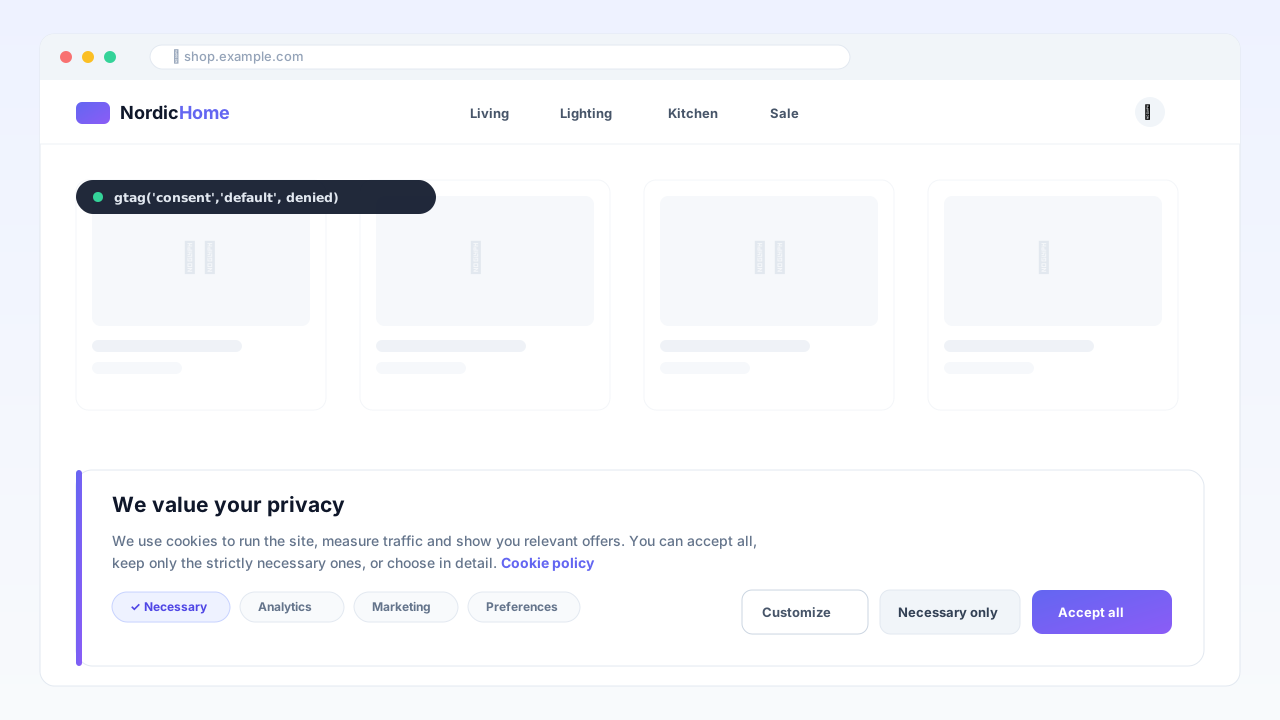
Consent Manager — Google Consent Mode v2
DSGVO-Cookie-Banner mit nativem Google Consent Mode v2, AMP-Unterstützung und Einwilligungsregister — cache-sicher, ohne externe CMP-Gebühren.
 OpenMage
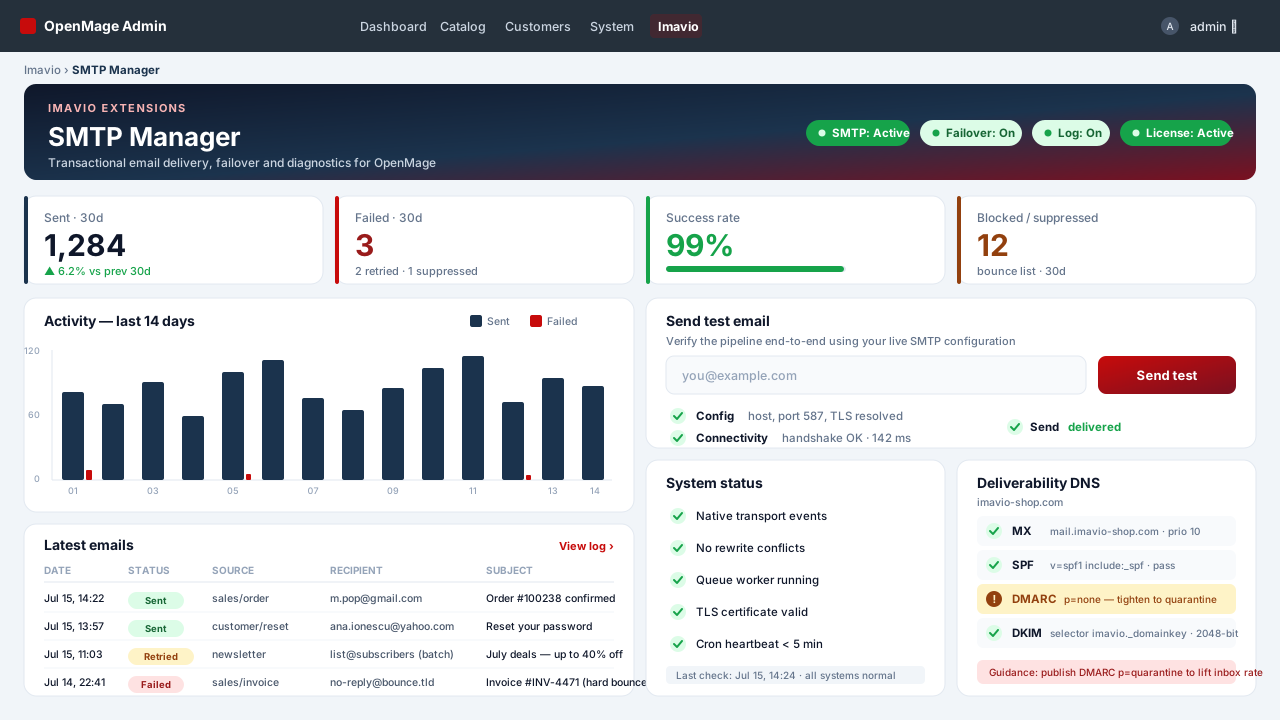
SMTP Manager — Authentifizierte E-Mail & Protokoll
Authentifiziertes SMTP für jede OpenMage-E-Mail — Transaktion, Bestell-Queue, Checkout und Newsletter — mit vollständigem Versand-Log, automatischem Failover und einem Deliverability-Doctor, ganz ohne eine einzige Core-Klasse zu überschreiben.
 OpenMage
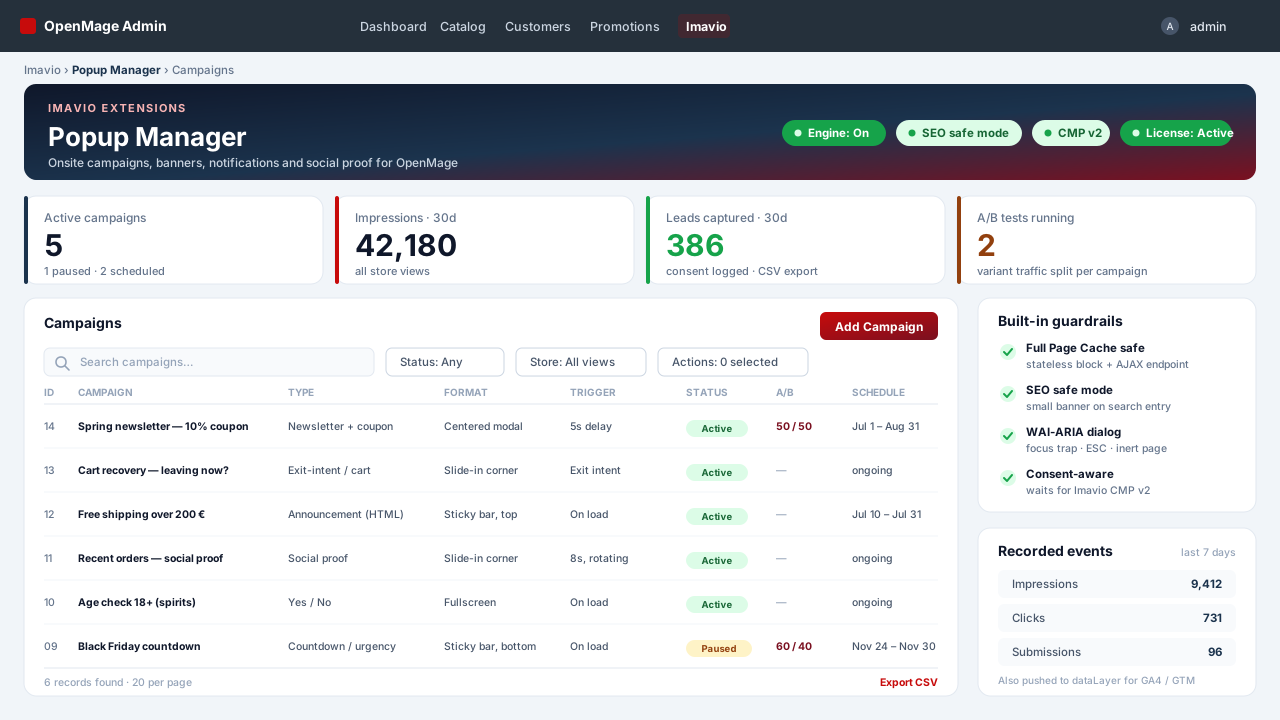
Popup Manager — Onsite-Kampagnen & Social Proof
Popups, Sticky-Bars, Slide-ins und Social-Proof-Benachrichtigungen für OpenMage — cache-sicher durch Konstruktion, barrierefrei ab Werk, einwilligungsbewusst, mit Bedingungsbaum-Targeting und A/B-Tests.