
AgentConnect — AI Agents & Agentic Commerce
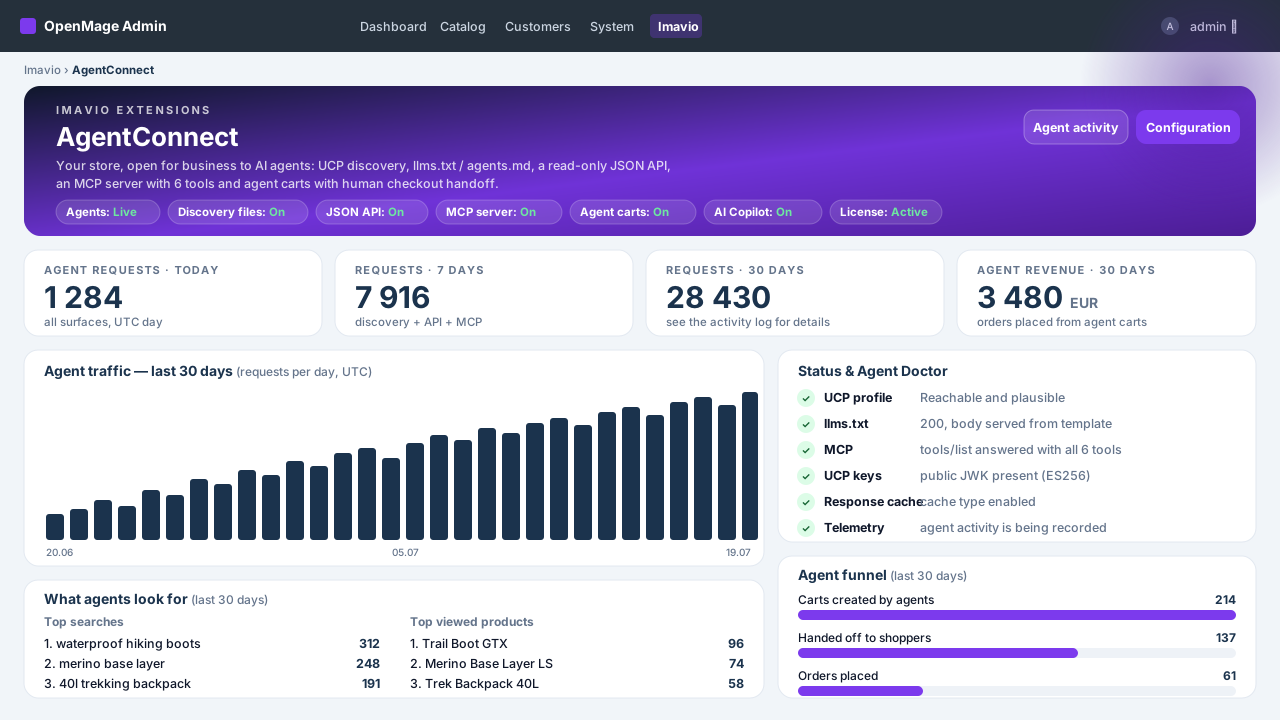
Your OpenMage store, open for business to AI agents
Shopping is moving into the chat window: people ask ChatGPT, Claude or Perplexity what to buy, and the agent answers with products it can actually read. Imavio AgentConnect is the first agentic commerce suite for OpenMage / Magento 1 — it makes your catalog discoverable, readable and shoppable for AI agents, while every payment stays in your normal checkout, under human control.
The problem: AI assistants are the new front door — and Magento 1 stores are invisible
Agents don't patiently scrape JavaScript storefronts; they look for machine-readable surfaces: discovery files, structured APIs, agent protocols. A stock OpenMage store offers none of that — so the agent recommends whoever does. AgentConnect gives your store the full agentic surface in one afternoon, with no SaaS middleman and no per-request fees.
Discovery: get found before you get chosen
- llms.txt and agents.md served at the store root — the store description AI crawlers actually read.
- UCP profile at
/.well-known/ucpannouncing your store's capabilities and endpoints. - A ready-made robots.txt snippet in the admin — one paste and agentic crawlers are allowed in. AgentConnect never edits your robots.txt behind your back.
- Everything is generated from your real catalog and editable in the admin.
A real MCP server — connect Claude and ChatGPT to your store
AgentConnect ships a Model Context Protocol endpoint with six focused tools: search_catalog (free-text search with filters and cursor paging), lookup_catalog (up to 50 SKUs in one call), get_product (full detail with variants), then create_cart, update_cart and get_cart — the cart tools returning the human checkout link. Add it as a custom connector in claude.ai or ChatGPT (developer mode) and the assistant can browse your store in a live conversation.
A clean JSON API — read-only by design
Products, categories and search as tidy JSON: prices, stock state, images, URLs. No sessions, no PII, no write access — exactly the subset an agent needs, and nothing more.
Agent carts with human checkout — the merchant keeps control
An agent can prepare a cart, but never pay. Every agent cart ends in a continue_url that puts a human in your regular checkout with the cart preloaded. You keep your payment methods, your fraud checks and the final say.
Revenue attribution — find out what the AI sells for you
Every agent visit, API call, MCP session and cart handoff is logged. Orders born from agent carts wear an agentic badge in the order grid, and the telemetry dashboard shows agent traffic, top requested products and attributed revenue.
An AI copilot in your admin — your key, your choice of model
Optional and completely separate from the agentic surfaces: plug in your own Anthropic or OpenAI key and get a Content Studio for product descriptions, one-click translations, an llms.txt copywriter and plain-language insights over your agent telemetry. You pay your provider directly, at cost.
Security & performance from 1.0
- Rate limiting on every agentic endpoint.
- Read-only catalog exposure: no customer data, no admin surface, no SSRF vectors — the copilot only talks to the provider you configured.
- Response caching keeps agent traffic away from your database.
How it works
- Install the extension and activate your license.
- Enable discovery — llms.txt, agents.md and the UCP profile go live.
- Connect Claude or ChatGPT to the MCP endpoint and watch the conversation.
- Track carts, orders and revenue in the telemetry dashboard.
Built to be trusted
The license never gates the agentic surfaces — expired means admin notices and paused updates, never a closed door for agents. Zero core class rewrites. And the agentic side costs you zero LLM tokens: agents bring their own model; your server only serves data.
Technical requirements
OpenMage LTS 19.x/20.x or Magento CE 1.9.x · PHP 7.4–8.3 · ionCube Loader (free) on the server. Copilot (optional): your own Anthropic or OpenAI API key.
Platform
OpenMage
Latest version
1.1.0
PHP
7.2+
Updated
2026-07-28
1. Requirements & concepts
- OpenMage LTS 19.x/20.x or Magento CE 1.9.x · PHP 7.4–8.3 with the ionCube Loader enabled · HTTPS on your storefront (required by claude.ai / ChatGPT connectors).
- Concepts: the discovery surfaces (llms.txt, agents.md, the UCP profile at
/.well-known/ucp) tell agents what your store is; the JSON read API and the MCP server let them browse it; agent carts let them prepare a purchase that a human finishes in your normal checkout; the optional AI Copilot helps you write content in the admin. - The agentic side needs no LLM key and costs no tokens — agents bring their own model. Only the optional Copilot uses your Anthropic/OpenAI key.
2. Installation
- Download the package from your Imavio account (Downloads) after purchase.
- Unzip it and upload the contents over your Magento root — it merges into
app/code/local/Imavio/AgentConnectandapp/etc/modules/Imavio_AgentConnect.xml. No core files are overwritten. - Flush the cache: System → Cache Management → Flush Magento Cache. Setup scripts create the telemetry tables automatically.
- The extension ships disabled by default — nothing is exposed until you enable it.
3. License activation
- Go to System → Configuration → Imavio Extensions → AgentConnect → License.
- Paste the license key from your Imavio account and save — activation is instant.
- The agentic surfaces are never gated by license state: an expired license only shows admin notices and pauses updates.
4. Quick start — enable discovery
- In System → Configuration → Imavio Extensions → AgentConnect, set Enabled to Yes and turn on Discovery.
- Open
https://your-store.example/llms.txtin a browser — you should see the generated store description. Same for/agents.mdand/.well-known/ucp. - Review the generated texts in the admin and adjust tone, highlights and policies — this is what agents will quote about you. (The Copilot's llms.txt copywriter can draft them for you.)
5. The JSON read API
Once enabled, the store answers read-only JSON on the agent endpoints. Search example:
curl -s "https://your-store.example/agent/products.json?q=backpack"Responses include name, SKU, price with currency, stock state, image and product URL for each match. The category and product-detail endpoints are announced in the UCP profile (/.well-known/ucp), so agents find them without guessing. Everything is cached and rate-limited; there is no write access and no customer data.
6. Connecting Claude & ChatGPT (MCP)
Your MCP endpoint is https://your-store.example/agent/mcp (public HTTPS required).
- claude.ai: Settings → Connectors → Add custom connector, paste the MCP URL and save. In a new chat, enable the connector and ask: "What can you find in this store for under 50 EUR?"
- ChatGPT: enable developer mode in the settings, then add a connector with the same MCP URL.
The server exposes six tools — search_catalog, lookup_catalog, get_product, create_cart, update_cart and get_cart. The assistant picks the right ones on its own. Note that update_cart has replace semantics: the list you send becomes the cart. Category browsing lives in the JSON API (/agent/collections/{handle}/products.json), not in MCP.
7. Agent carts & human checkout
When an agent builds a cart, the reply always carries a continue_url. Opening it in a browser loads your regular checkout with the cart preloaded — the human reviews, chooses shipping and payment, and pays as usual. Agents can never trigger payment, place orders or touch customer accounts; agent carts expire like any other quote in your store.
8. Telemetry & revenue attribution
Open Imavio → AgentConnect in the admin:
- The dashboard shows agent traffic, MCP sessions, top requested products and attributed revenue.
- The activity grid lists every agentic request with source, endpoint and timing.
- Orders that started as agent carts wear an agentic badge in the order grid, so attribution survives into your normal reporting.
9. AI Copilot setup (BYO key)
- In the configuration, open the AI Copilot section, choose your provider (Anthropic or OpenAI), paste your own API key and pick a model.
- The Copilot unlocks the Content Studio on products (descriptions, feature bullets), one-click translations, the llms.txt copywriter and plain-language insights over your telemetry.
- Costs go directly to your provider at their rates. The key is used server-side only, exclusively against the provider you selected — the agentic surfaces never use it.
10. Security & rate limits
- All agentic endpoints are read-only and expose no customer data or PII.
- Per-IP rate limiting with sensible defaults; the thresholds are configurable if you want them stricter or looser.
- Responses are cached, keeping agent traffic away from your database and your shoppers' experience.
11. Agent-ready verification checklist
Run these from any machine, replacing your-store.example with your domain:
# 1. UCP profile — should return JSON with your store profile and endpoints
curl -s https://your-store.example/.well-known/ucp

# 2. llms.txt — should return the plain-text store description
curl -s https://your-store.example/llms.txt

# 3. JSON API — should return matching products as JSON
curl -s "https://your-store.example/agent/products.json?q=test"

# 4. MCP server — should list the six tools
curl -s -X POST https://your-store.example/agent/mcp \
  -H "Content-Type: application/json" \
  -d '{"jsonrpc":"2.0","id":1,"method":"tools/list"}'
If all four answer correctly, your store is agent-ready.
12. Troubleshooting
- 404 on /llms.txt or /.well-known/ucp — flush the configuration cache; if your web server blocks dotfiles or
.well-known, allow that path in the vhost. - HTTP 429 answers — the rate limiter at work; raise the limits in the configuration if legitimate agents hit them.
- claude.ai / ChatGPT cannot connect — the MCP endpoint must be public HTTPS with a valid certificate; test it with the tools/list curl above.
- Products missing from results — only enabled, visible, in-stock products are exposed; check status and visibility.
- Copilot errors — verify the API key, the selected model and your provider account's credit.
13. Updates
New versions appear under Downloads in your Imavio account while your update window is active, and the extension shows an update notice in the admin when one is available. An expired license never turns off the agentic surfaces — it only pauses updates and support. Need help? Open a ticket from your Imavio account — support is included with your license.
Changelog
AgentConnect 1.1.0 Suprafete noi pentru agenti AI - Feed de produse ACP (specificatia OpenAI product feed): JSONL sau CSV, generat nocturn pe disc si servit tokenizat la /agent/feed.jsonl(.gz). Include gtin validat strict, mpn, brand, condition, categorie, variante (group_id + variant_dict), date de vanzator si politici. - /llms-full.txt: instructiunile din llms.txt plus catalogul plat (nume, pret, URL per produs), plafonat din configurare. - Schema.org Product JSON-LD optional pe paginile de produs (OPRIT implicit — se activeaza doar daca tema sau alt modul SEO nu emite deja Product schema). Configurare noua - Grup "Product feed": format, gzip, program cron (validat la salvare), loturi, plafon de produse, token de acces, eligibilitate checkout, tari tinta. - Grup "Catalog attribute mapping": GTIN/EAN, MPN, brand, conditie — folosite atat de feed cat si de schema Product. - Grup "Product schema": pornire, includere recenzii, numar maxim de recenzii. Dashboard si diagnostic - Card nou de feed cu URL-urile publice si buton "Generate now". - Agent Doctor verifica in plus prospetimea feedului si /llms-full.txt. - Fragmentul robots.txt include acum /llms-full.txt. Corectii - Telemetria inregistreaza termenul cautat si pentru suprafata MCP (search_catalog); anterior coloana ramanea goala indiferent de setare, deci raportul "Top cautari" nu se popula pentru traficul de agenti. Note de instalare - Nu necesita script de upgrade de baza de date. - Dupa actualizare: goliti cache-ul de configurare si de layout. - Pentru feed: mapati atributul de GTIN/EAN in Catalog attribute mapping, apoi rulati "Generate now" din dashboard.
Frequently asked questions
What is agentic commerce and why does it matter?
Agentic commerce means AI assistants — ChatGPT, Claude, Perplexity and dedicated shopping agents — searching, comparing and preparing purchases on behalf of their users. Those agents can only recommend stores they can read. AgentConnect gives your OpenMage store the machine-readable surfaces that make you visible in that channel.
Does AgentConnect work with Magento 1.9 or only with OpenMage?
Both. It is developed and tested on OpenMage 19.x–20.x, which is fully compatible with Magento 1.9.x — the same codebase, maintained by the community.
Do I have to pay OpenAI or Anthropic anything?
For the agentic side — discovery, JSON API, MCP server, agent carts — no: agents bring their own model, your server only serves data. Only the optional admin AI Copilot uses an LLM, through your own Anthropic or OpenAI key, billed directly by your provider at cost.
How do AI agents find my store?
Through the discovery surfaces AgentConnect publishes: llms.txt and agents.md at the store root and a UCP profile at /.well-known/ucp. The admin hands you a ready-made robots.txt snippet to paste so those surfaces are not blocked. Assistants that users connect directly (Claude, ChatGPT) use the MCP endpoint.
Can agents place orders on their own?
No — by design. An agent can search, compare and prepare a cart, but every cart ends in a continue_url that hands a human over to your regular checkout. Payment methods, fraud checks and the final click stay with people.
Is it safe to expose my catalog like this?
The agentic endpoints are read-only, expose no customer data or PII, and sit behind rate limiting with response caching. They serve the same public catalog your storefront already shows — just in a machine-readable form.
How do I connect Claude or ChatGPT to my store?
Add the store's MCP endpoint as a custom connector: in claude.ai under Settings → Connectors, or in ChatGPT via developer-mode connectors. The user guide walks through both, step by step.
Will it slow my store down?
No. Agentic responses are cached and all endpoints are throttled, so agent traffic stays cheap and never competes with your shoppers.
Does it rewrite Magento core classes?
No. AgentConnect uses its own controllers, models and events only — no core rewrites and no code pool overrides, so it does not conflict with other extensions.
What happens when my update window expires?
The extension keeps working — the license is perpetual per domain, and the agentic surfaces are never gated by license state. Renewing only re-opens access to new versions and support.
Customer reviews
No reviews yet — be the first to share your experience.
Log in to write a review.
You might also like
 OpenMage
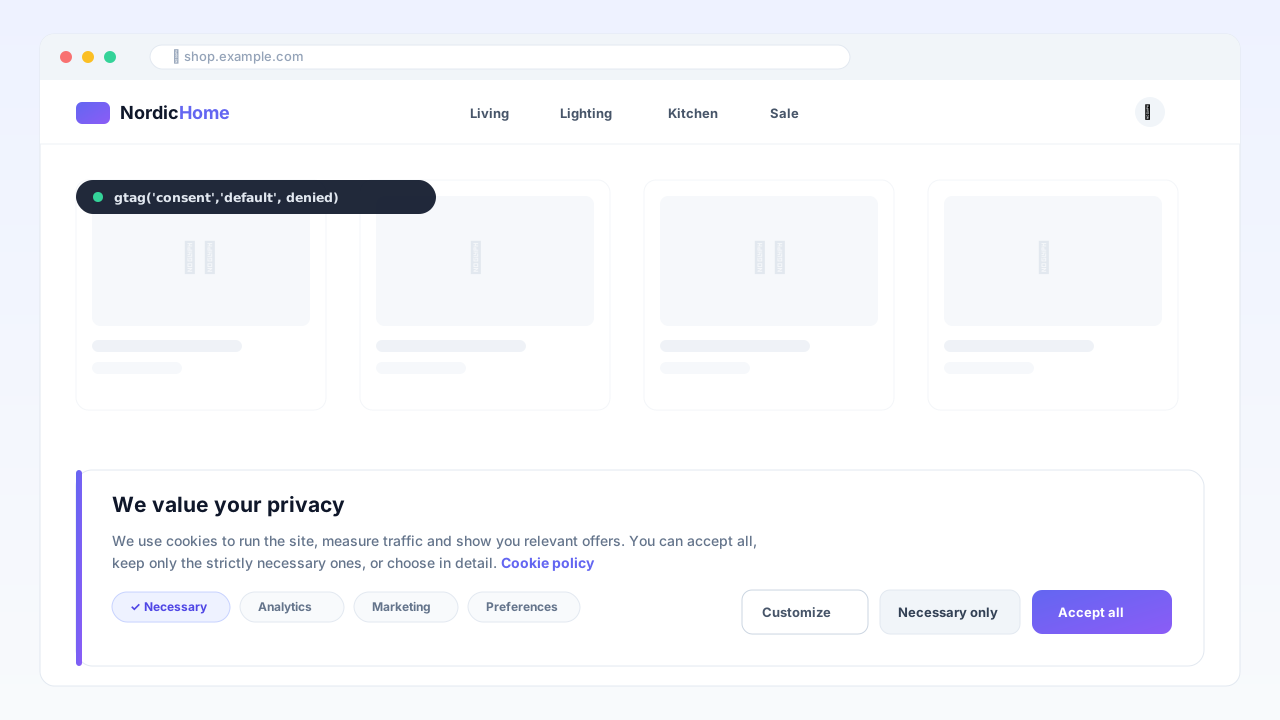
Consent Manager — Google Consent Mode v2
GDPR cookie banner with native Google Consent Mode v2, AMP support and a consent registry — cache-safe, no external CMP fees.
 OpenMage
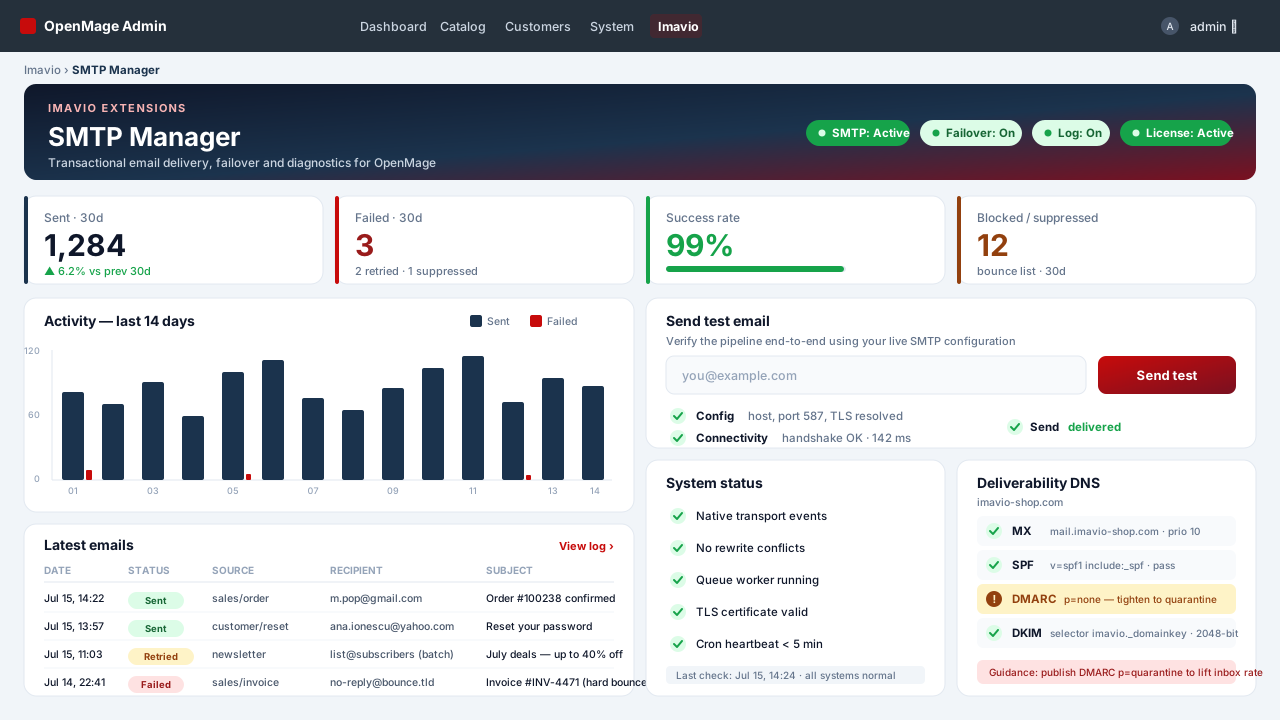
SMTP Manager — Authenticated Email & Log
Authenticated SMTP for every OpenMage email — transactional, order queue, checkout and newsletters — with a full send log, automatic failover and a deliverability doctor, all without rewriting a single core class.
 OpenMage
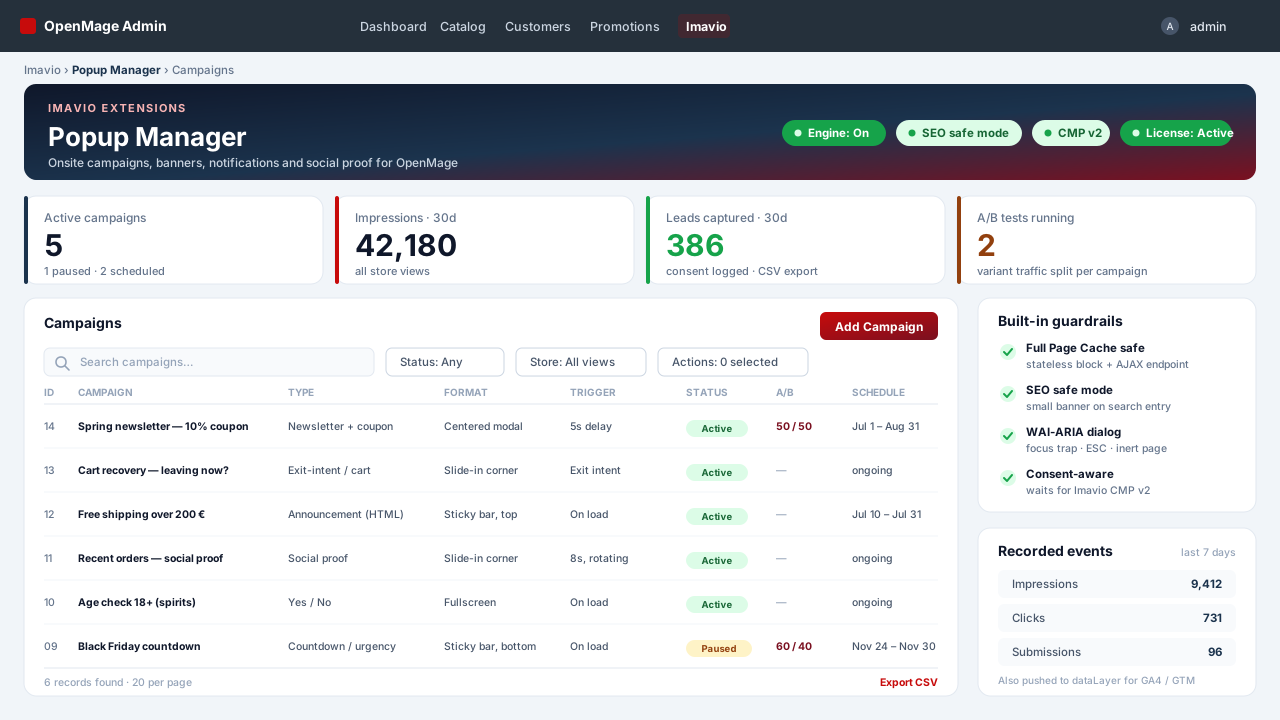
Popup Manager — Onsite Campaigns & Social Proof
Popups, sticky bars, slide-ins and social-proof notifications for OpenMage — cache-safe by construction, accessible by default, consent-aware, with condition-tree targeting and A/B testing.