
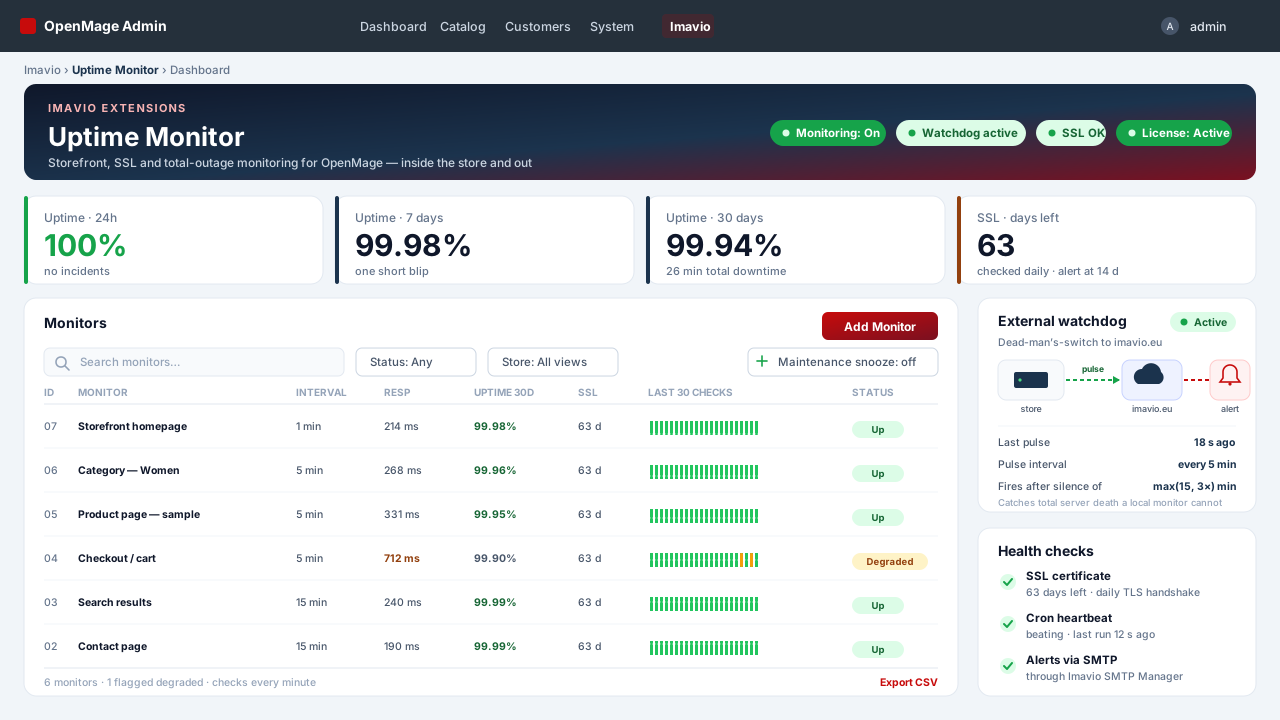
Your store, watching itself — with a watchdog outside it
OpenMage has no built-in way to tell you the storefront is down, that a page returns 200 while the content is broken, or that your TLS certificate expires next week. You find out from a customer, or from a browser warning. Imavio Uptime turns the store into its own monitor — real HTTP probes through the webserver, incident emails, daily SSL-expiry checks and a premium dashboard — and then adds the one thing a self-hosted monitor structurally cannot do on its own: an external dead-man's-switch that still alerts you when the whole server goes dark.
Real probes, not a fake ping
Each monitor performs a genuine cURL request through your webserver, so you test the same path a customer hits. Per monitor you set the URL, GET or HEAD, the interval (1/5/15/30/60 min), the timeout, the expected status code, whether to follow redirects, an SSL-verification toggle, and a content check — the page must, or must not, contain a given text. That content check is what catches the classic "200 but broken" page a plain ping sails straight past. Responses slower than 80% of the timeout are flagged degraded before they become an outage.
One incident, one email — not a pager storm
The incident lifecycle is deliberately quiet. An incident opens only after N consecutive failures (default 2) and auto-resolves after M consecutive successes (default 1). One open incident per monitor means exactly one "down" email and exactly one "recovered" email, the recovery message carrying the total outage duration. Reminder emails while still down are optional. Every admin page shows a warning banner for as long as an incident is open, so nobody has to be watching the dashboard.
SSL expiry, caught weeks early
Every HTTPS monitor gets a daily TLS handshake that reads the real certificate. Warning emails begin ssl_alert_days_before days ahead (default 14), repeat every three days, and go daily once the certificate has actually expired — so an expired certificate is something you fix on your schedule, not a Monday-morning fire.
The part no local monitor can do: total server death
A monitor that lives on your server has one honest limitation — if the whole server dies, nothing is left running to send the email. Imavio Uptime solves it head-on. With your license key active, the extension sends an "I am alive" pulse to the Imavio platform every 5 minutes. When those pulses stop for max(15, three times the check interval) minutes, imavio.eu sends the "server down" email for you — and a recovery email when the pulses resume. It sends an explicit stop on deactivation so you never get a false alarm, it propagates your local maintenance snooze, and every response is Ed25519-verified. This is the difference between "my monitor went quiet too" and actually being told your store is offline.
Alerts in your brand, delivered through your SMTP
Alert emails are built in the Imavio brand style and sent through OpenMage's core/email_template. That means if Imavio SMTP Manager is installed, your alerts go out over authenticated SMTP automatically — the reliable path, exactly when you most need the email to actually arrive. Recipients are configurable; the fallback is your store's general contact address.
A dashboard you'll actually open
- Per-monitor status pills and a strip of the last 30 checks at a glance.
- Uptime for 24h, 7 days and 30 days, computed live from the raw checks — no separate aggregate table to drift out of sync.
- Response times and SSL days-left per monitor, an incidents grid, and a raw checks grid with CSV export.
- Maintenance snooze (1/4/12/24h) straight from the dashboard: checks keep running, but no new incidents or emails during a planned deploy.
- A cron heartbeat card that turns the whole thing honest — if the OpenMage cron stops beating, the dashboard says so, so a silenced monitor never masquerades as "all green".
Engineered to be quiet and self-maintaining
- Consecutive counters, not a sliding window — robust even when the cron pauses, so a gap in checks does not manufacture a phantom outage.
- Degraded alerting is opt-in, kept off by default, so email stays low-noise.
- Retention crons prune raw checks after 90 days and resolved incidents after 365 (both configurable), and a default monitor for your homepage is created automatically on first run.
- No core table is altered, and the code you may need to inspect stays open: configuration, install scripts, layout and templates ship unencrypted.
Your monitoring never depends on your license
In-store monitoring and its email alerts are perpetual per domain and never gated by license state — an expired license only shows admin notices and pauses updates. The external watchdog naturally uses your license connection to imavio.eu, so it is the one component that follows the license.
Technical requirements
OpenMage LTS 19.x/20.x or Magento CE 1.9.x · PHP 7.2–8.3 with cURL and OpenSSL · the OpenMage cron running every minute · ionCube Loader (free) on the server.
Platform
OpenMage
Latest version
—
PHP
—
Updated
—
1. Requirements
- OpenMage LTS 19.x/20.x or Magento CE 1.9.x
- PHP 7.2–8.3 with cURL (probes) and OpenSSL (SSL checks), and the ionCube Loader enabled (most hosts have it; check with a
phpinfo()page or ask your host) - The OpenMage cron (
cron.php/cron.sh) running every minute — the checks cron dispatches due monitors each minute
2. Install the files
- Download the package from your Imavio account (Downloads) after purchase.
- Unzip it and upload the contents over your Magento root — it merges into
app/code/local/Imavio/Uptime,app/etc/modules/Imavio_Uptime.xml,app/design/adminhtml/…andskin/…. No core files are overwritten and no core table is altered. - Flush the cache: System → Cache Management → Flush Magento Cache. The setup script creates the
imavio_uptime_monitor,imavio_uptime_checkandimavio_uptime_incidenttables automatically. - The extension ships disabled by default — installing it changes nothing until you turn monitoring on in step 5.
3. Activate your license
- Go to System → Configuration → Imavio Extensions → Uptime Monitor → License.
- Paste the license key from your Imavio account and save — activation is instant.
- In-store monitoring and its email alerts never depend on license state; the license unlocks one-click updates and enables the external dead-man's-switch (step 6).
4. Configure recipients and your first monitor
- Under System → Configuration → Imavio Extensions → Uptime Monitor, set the alert recipients (comma-separated). If you leave it empty, alerts go to the store's general contact address.
- Open Imavio → Uptime Monitor. A default monitor for your homepage is created automatically on first run.
- Click Add Monitor (or edit the default) to set the URL, method (
GET/HEAD), interval (1/5/15/30/60 min), timeout, expected status code, redirect following and SSL verification. - Add a content check where it matters — for example, the cart page must contain the word "Checkout", so a broken-but-200 page still counts as down.
- Tune the incident thresholds if needed: failures before an incident opens (default 2), successes before it resolves (default 1), and the optional reminder interval.
5. Turn monitoring on and verify
- Use Check now on a monitor to run an immediate probe and confirm the result looks right.
- Set Monitoring active to Yes in the configuration.
- Watch the dashboard: status pills, the last-30-checks strip, uptime for 24h/7d/30d, response times and SSL days-left should populate as the cron runs.
- Confirm the cron heartbeat card is green. If it warns that the heartbeat is stale, fix your OpenMage cron first — otherwise monitors cannot run.
6. Set up the external dead-man's-switch
- With the license active, the extension automatically starts sending an "I am alive" pulse to imavio.eu every 5 minutes. The dashboard's watchdog card shows the last pulse and its state.
- The recipients you configured in step 4 are shipped with each pulse, so if the whole server goes dark, imavio.eu emails those same people the "server down" alert — and a recovery email when the pulses resume.
- A maintenance snooze on the dashboard is propagated to the platform, so a planned deploy does not trigger a false external alarm. Deactivating the extension sends an explicit stop.
7. Updates and support
New versions can be installed in one click from Imavio → Uptime Monitor while your update window is active, or downloaded from your account. An expired license never stops your in-store monitoring — it only shows admin notices, pauses updates and, being the license channel, the external watchdog. Need help? Open a ticket from your Imavio account — support is included with your license.
Frequently asked questions
How is this different from UptimeRobot or Pingdom?
External services ping your store from outside and cannot see inside it: they miss content checks ("200 but the page is broken"), per-store SSL watching, and they cannot send alerts through your own SMTP. A local-only script has the opposite blind spot — it cannot report its own server dying. Imavio Uptime does both: in-store probes for content and SSL, plus an external dead-man's-switch for total outages.
If the whole server dies, how does it still alert me?
That is exactly what the external dead-man's-switch is for. Every 5 minutes the extension sends an "I am alive" pulse to the Imavio platform. When the pulses stop for max(15, three times the check interval) minutes, imavio.eu sends the "server down" email — and a recovery email when the pulses resume. This covers total server death, which a monitor living on that same server can never report.
Will it flood my inbox with emails?
No. An incident opens only after N consecutive failures (default 2) and produces exactly one "down" email and one "recovered" email, the latter with the outage duration. Reminder emails and degraded-response alerts are opt-in, off by default. A maintenance snooze (1/4/12/24h) silences new incidents during a planned deploy.
Does it need a cron?
Yes — the OpenMage cron running every minute. The checks cron dispatches due monitors each minute according to their interval (1/5/15/30/60 min). If the cron heartbeat goes stale, the dashboard and every admin page warn you, so a silenced monitor never passes as "all green".
How do the alert emails actually get delivered?
They are built in the Imavio brand style and sent through OpenMage's core/email_template, so if Imavio SMTP Manager is installed they go out automatically over authenticated SMTP — the reliable path for alerts. Recipients are configurable; the fallback is the store's general contact address.
Does the license block monitoring when it expires?
No. In-store monitoring and its email alerts are perpetual per domain and never depend on license state — an expired license only shows admin notices and pauses one-click updates. The external watchdog uses your license connection to imavio.eu, so it is the one part that follows the license.
Customer reviews
No reviews yet — be the first to share your experience.
Log in to write a review.
You might also like
 OpenMage
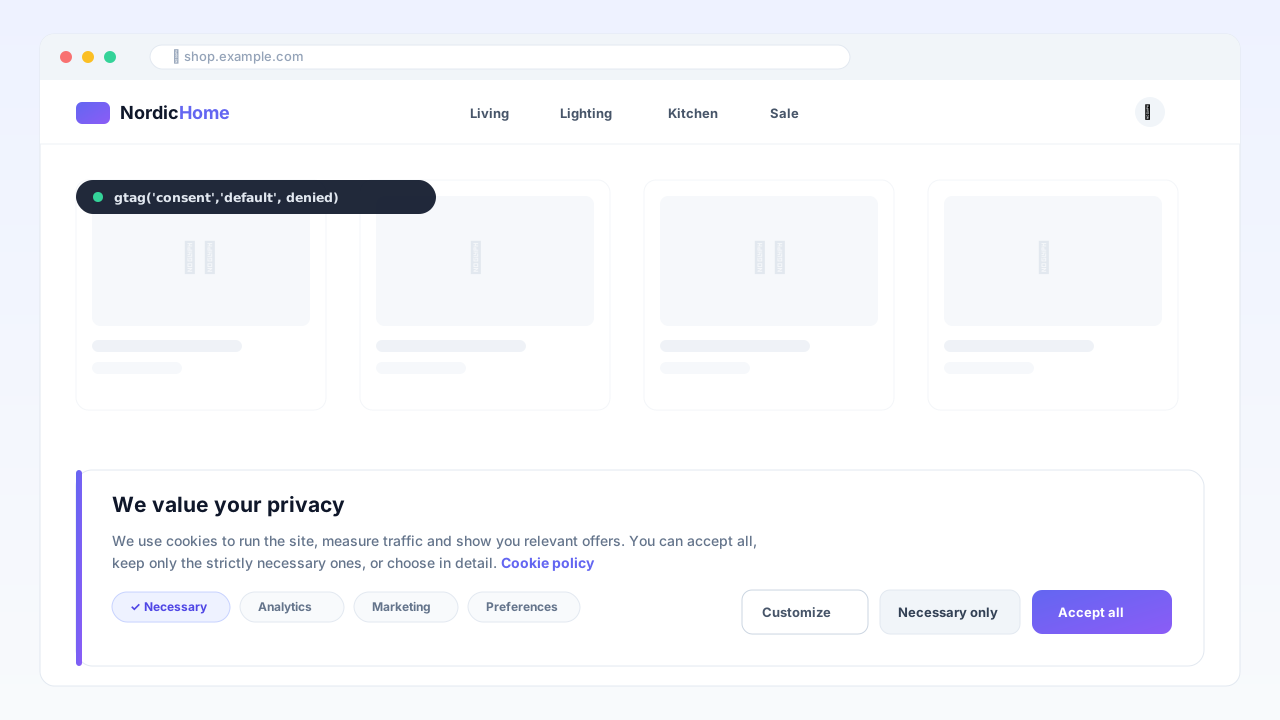
Consent Manager — Google Consent Mode v2
GDPR cookie banner with native Google Consent Mode v2, AMP support and a consent registry — cache-safe, no external CMP fees.
 OpenMage
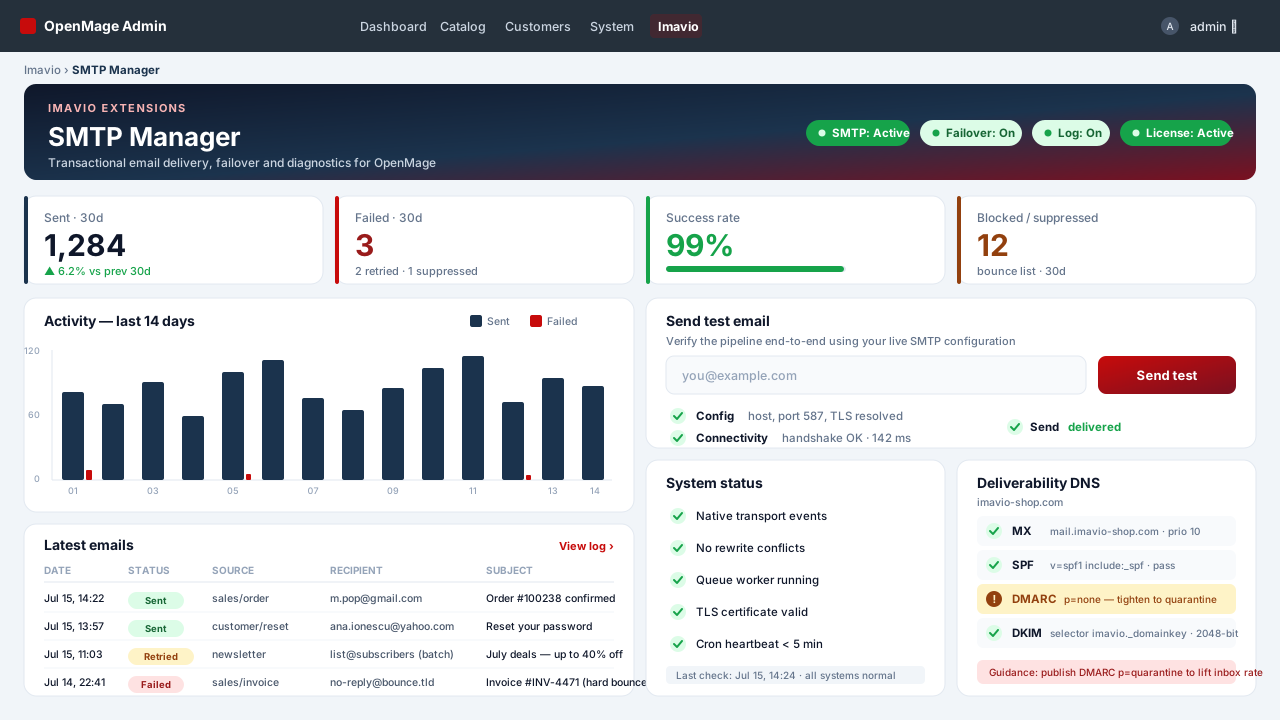
SMTP Manager — Authenticated Email & Log
Authenticated SMTP for every OpenMage email — transactional, order queue, checkout and newsletters — with a full send log, automatic failover and a deliverability doctor, all without rewriting a single core class.
 OpenMage
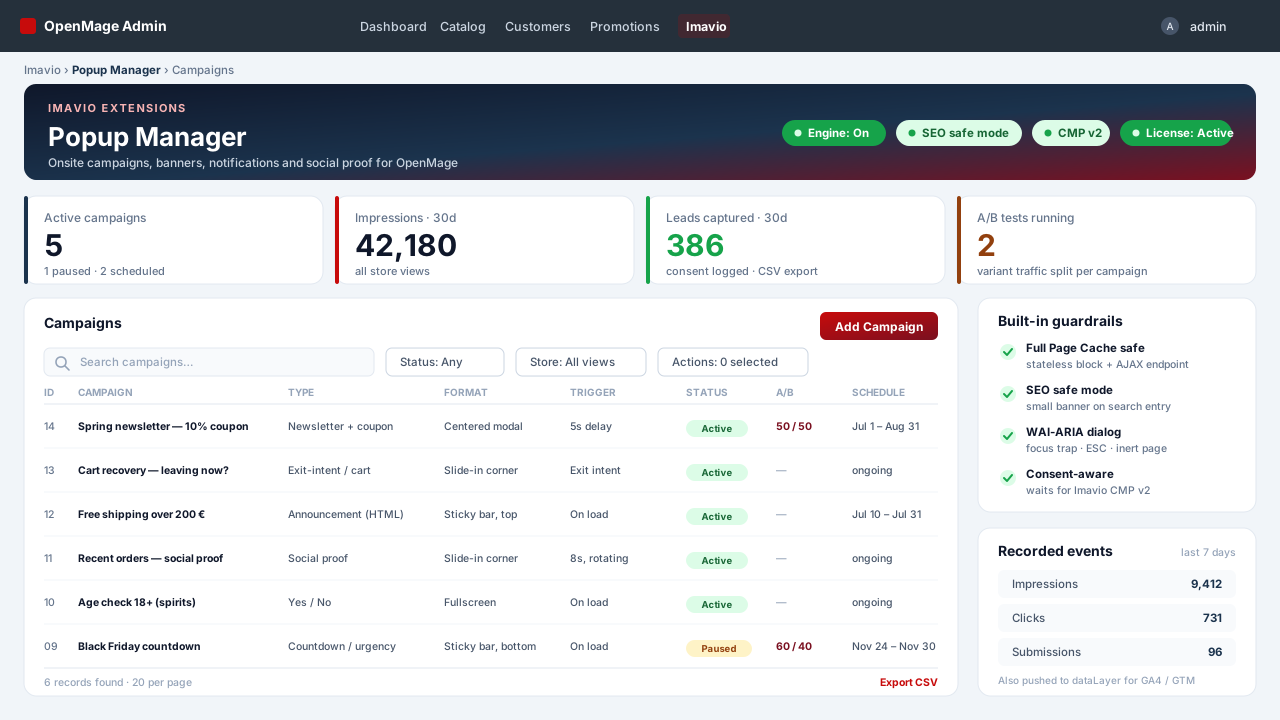
Popup Manager — Onsite Campaigns & Social Proof
Popups, sticky bars, slide-ins and social-proof notifications for OpenMage — cache-safe by construction, accessible by default, consent-aware, with condition-tree targeting and A/B testing.